Visual node graph
Start from a trigger and chain animation steps with wires, so the whole sequence reads as a flowchart instead of a wall of delays.
CSS animation generator · an Atelier studio
Choreograph responsive CSS animations on a visual node graph.
Kinetix Studio turns CSS keyframe animation into a flowchart you can see. Chain steps, run them in parallel, route different motion to different screen widths, and export production-ready @keyframes with the media queries already written.
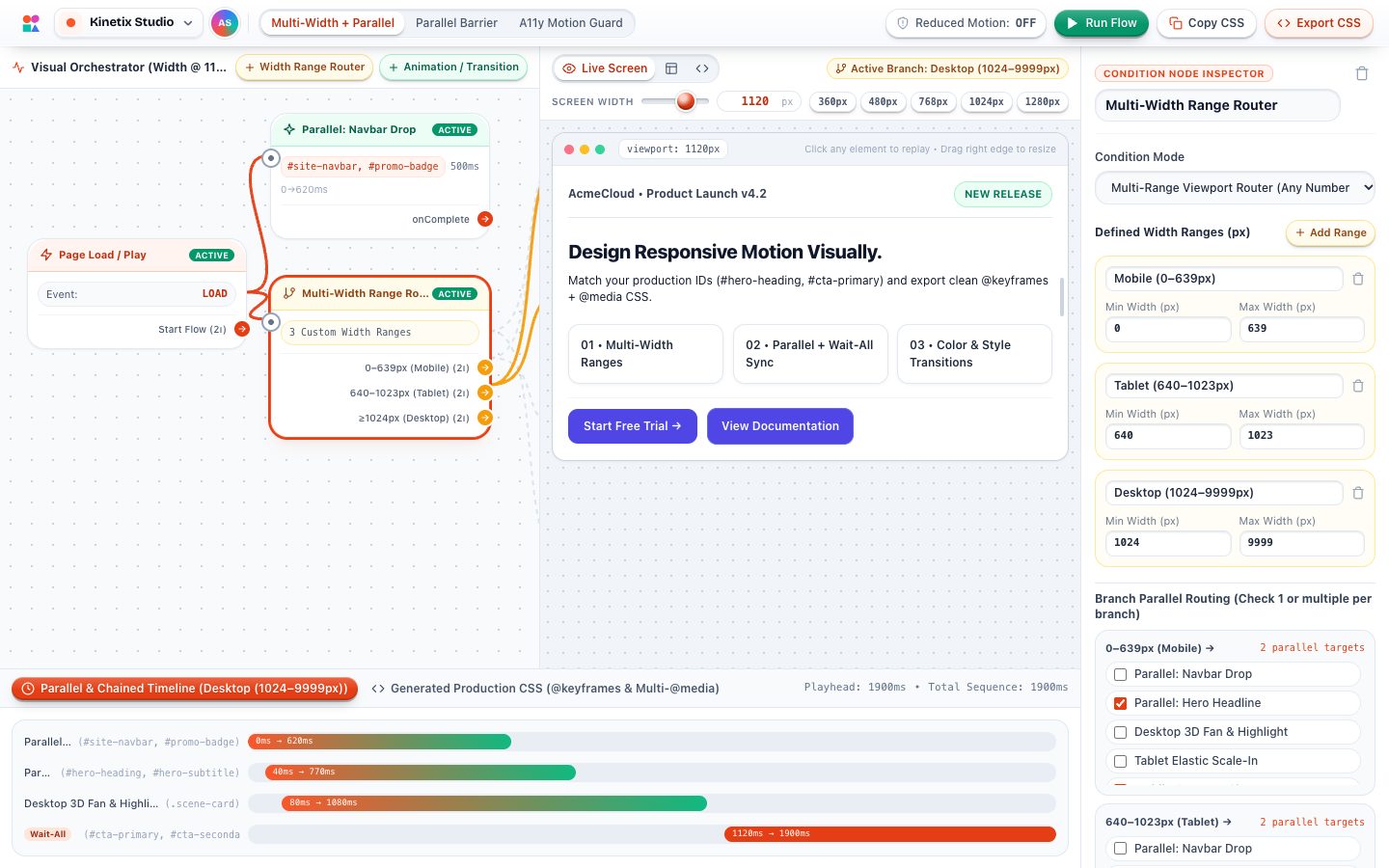
Start from a trigger and chain animation steps with wires, so the whole sequence reads as a flowchart instead of a wall of delays.
Fire several elements at once, then hold the next step until every branch has finished. Kinetix works out the delays for you.
A width-range router sends different motion to mobile, tablet and desktop, and the export writes the @media queries.
Tune translate, scale, rotate, opacity, blur and colour at every keyframe stop, and shape timing with a cubic-bezier curve editor.
Preview on a realistic page that uses your own element IDs, drag the viewport width and replay whenever you like.
Simulate prefers-reduced-motion and export a respectful fallback alongside the full animation.
Load a preset sequence or start from a single trigger.
Add steps, branch them in parallel and set width ranges.
Edit keyframe stops, durations and easing curves.
Copy or download keyframes, selectors and media queries.
Kinetix writes the same CSS you would write by hand: named @keyframes, one animation shorthand per element, media queries for each width range and a reduced-motion block.
@keyframes kx-hero-rise {
  0%   { opacity: 0; transform: translateY(24px) scale(0.96); filter: blur(6px); }
  100% { opacity: 1; transform: translateY(0) scale(1); filter: blur(0); }
}

#hero-heading {
  animation: kx-hero-rise 620ms cubic-bezier(0.22, 1, 0.36, 1) 40ms both;
}

@media (max-width: 639px) {
  #hero-heading { animation-duration: 420ms; }
}

@media (prefers-reduced-motion: reduce) {
  #hero-heading { animation: none; }
}It opens instantly in your browser. Nothing to install, nothing to sign up for.