Atelier · four visual CSS studios

Design the CSS you can see.

Atelier turns motion, colour, form and layout into hands-on studios. Drag, tune and play until it feels right, then take home clean, framework-free code.

  • No sign-up
  • Runs in your browser
  • Nothing uploaded
The studios

Four studios, each built for one part of CSS.

Every studio has its own colour, shape and personality, and they share one header, so moving between them takes a single click.

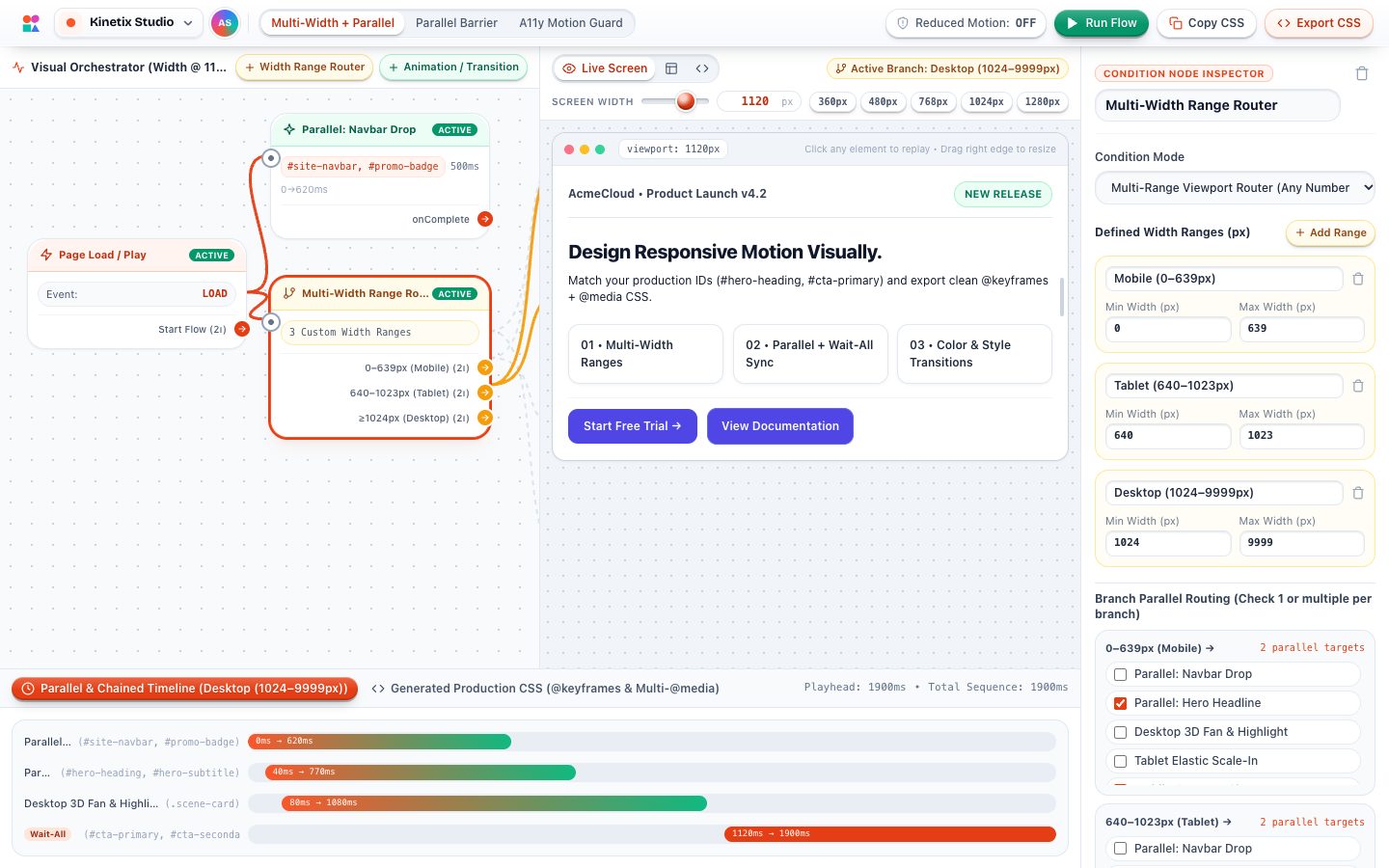
Kinetix Studio

CSS animation generator

Choreograph CSS keyframe animations on a visual node graph. Run sequences in parallel, wait for them to sync, and tailor timing for every breakpoint.

  • Node-graph sequencing
  • Bézier easing editor
  • Reduced-motion preview

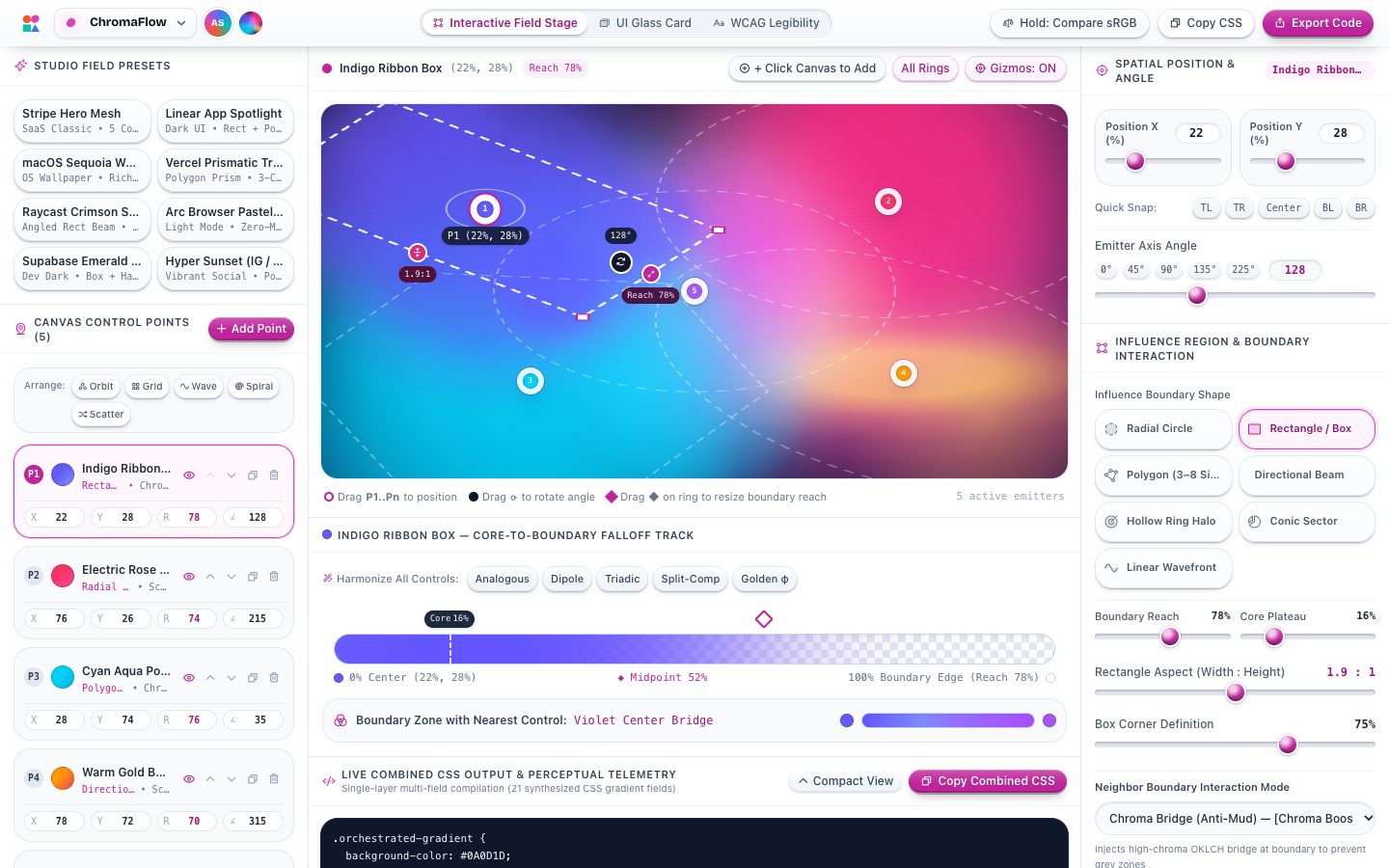
ChromaFlow

CSS gradient generator

Paint mesh-like gradients by placing colour emitters on a canvas. Shape how far each one reaches and export perceptually smooth OKLCH CSS.

  • Spatial colour emitters
  • OKLCH interpolation
  • Grain & noise

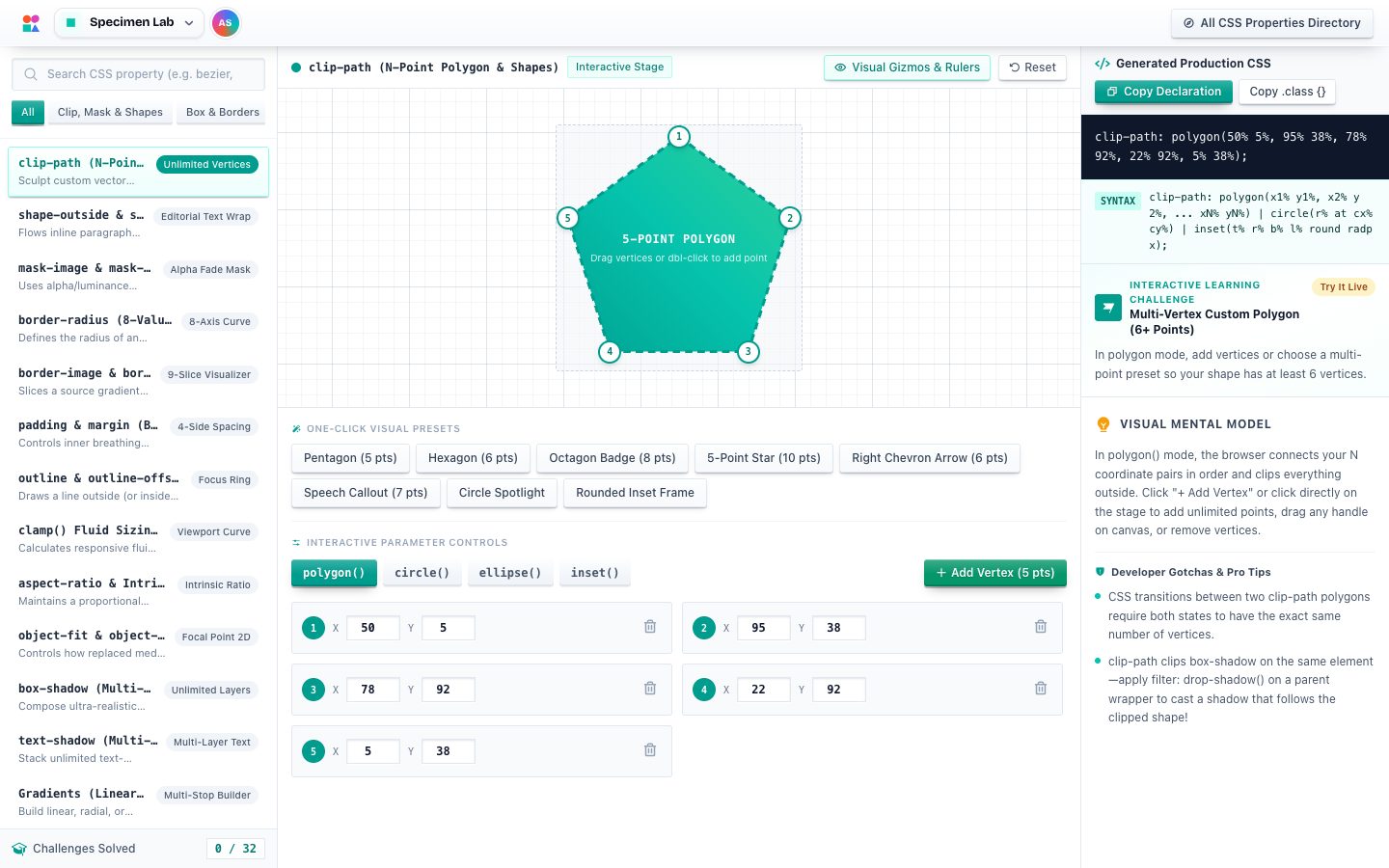
Specimen Lab

CSS property playground

Put any visual CSS property under the microscope. Shadows, filters, clip-paths, transforms and type, each with live controls, guides and copy-ready code.

  • box-shadow
  • clip-path
  • filter
  • transform

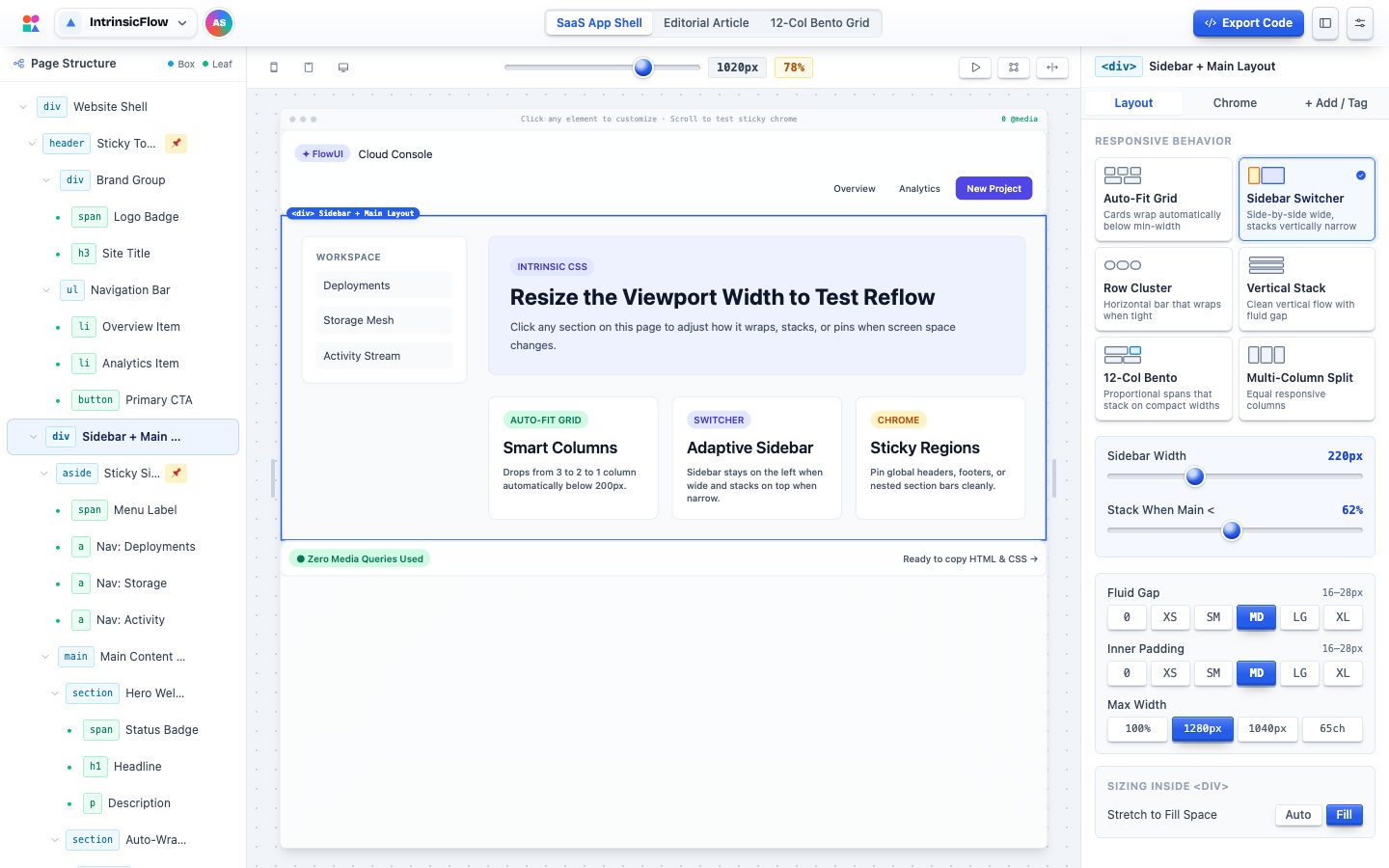
IntrinsicFlow

CSS Grid & Flexbox layout builder

Build responsive page structures visually with CSS Grid and Flexbox. Add sticky headers and sidebars, resize the viewport live, and export semantic HTML and CSS.

  • Grid & Flexbox
  • Sticky chrome
  • Live viewport resize
Workflow

From blank page to finished feel.

Use one studio for a quick answer, or walk through all four to build an interface from structure to motion.

  1. Structure

    Lay out regions and responsive behaviour in IntrinsicFlow.

  2. Form

    Refine shadows, radii and filters in Specimen Lab.

  3. Colour

    Paint rich, smooth backgrounds in ChromaFlow.

  4. Motion

    Bring it all to life with Kinetix Studio.

FAQ

Questions, answered.

Is Atelier free?

Yes. Every studio is free and open source under the MIT License. There is no sign-up and no paid tier.

Do I need to install anything?

No. Each studio opens straight in your browser.

What do the studios export?

Plain, framework-free CSS (and semantic HTML for layouts) that you can paste into any project, framework or design system.

Is my work uploaded anywhere?

No. Everything happens on your own device; the studios only hand you code to copy.

Which browsers are supported?

Current versions of Chrome, Edge, Safari and Firefox. The studios are designed for desktop screens and adapt down to tablets and phones.

How does Atelier relate to csslib?

Atelier is one of the projects in csslib, a collection of open-source CSS projects that also includes the Vektor.css charting library.

Pick a studio and start making something.

No account, no install, no lock-in. Just CSS you can see and code you can keep.